For most Indian players, the phone is where everything happens. Checking scores, placing bets, playing a few rounds of Teen Patti before bed. So the first thing anyone needs to know is how to get into their account on mobile quickly and without hassle. The FairPlay website login works on any phone browser, Android or iOS, with no app download required. This guide walks through the full FairPlay login process on mobile, what to do if something goes wrong, and a few tips to keep things smooth every time you sign in.
What You Need Before Logging In
You only need three things to log in on mobile. A phone with a working browser, your registered mobile number or email, and your password. The FairPlay betting website runs on Chrome, Firefox, Samsung Internet, and any other standard Android or iOS browser. No specific version is required and no app needs to be installed. Just open the browser, go to fairplay-co.com, and you are at the login screen.
If you have not registered yet, the whole sign-up process takes about two minutes from the same page. But if you already have an account, the FairPlay website login from mobile is as fast as typing in your details and tapping the button.
FairPlay Mobile Login: Step by Step
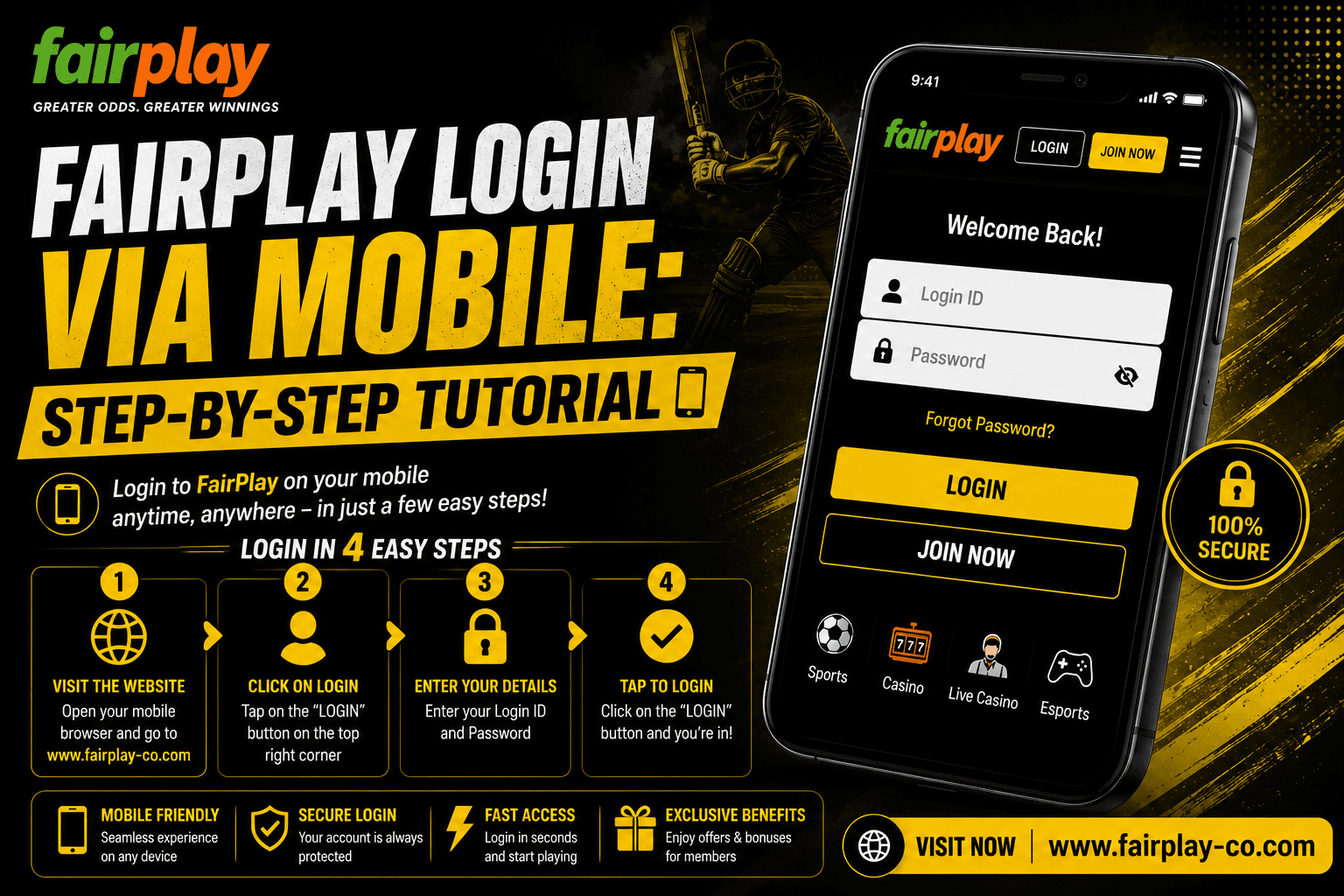
- Here is the full process for FairPlay login on mobile:
- Open your phone browser and go to fairplay-co.com. This works on any Android or iOS browser without any download.
- On the homepage, tap the Login button at the top right of the screen.
- Enter your registered mobile number or email address in the first field.
- Type your password in the second field. Passwords are case sensitive so make sure Caps Lock is not on.
- Tap the Login button to submit. If your details are correct, you will be inside your account within seconds.
- On some sessions, FairPlay may ask for an OTP verification to your registered phone number. Enter the OTP when prompted and your login completes.
The entire mobile casino login process takes under 60 seconds once you know your credentials. The platform loads fully in the mobile browser and all sections are accessible straight away exchange, live casino, crash games, deposits, and withdrawals.
Logging In for the First Time on Mobile
If this is your first time on the FairPlay betting site, you need to register before you can log in. Tap Join Free on the homepage instead of Login. Fill in your name, mobile number, and set a password. An OTP goes to your phone to verify the number. Enter it, and your account is ready. The whole registration takes about two minutes.
After registration, you land inside the platform automatically. You do not need to go through the login screen separately on your first visit. From the next visit onwards, use the Login button and enter the credentials you just created. The FairPlay website remembers your session on the same browser, so on most return visits you will already be signed in.
FairPlay Android Login: Tips for a Smooth Experience
For FairPlay Android login specifically, Chrome is the most reliable browser to use. It handles the platform well and loads all sections without any display issues. If you are using a phone with limited storage, clearing the browser cache occasionally keeps things loading fast.
Make sure your phone's date and time settings are set to automatic. Some login systems check the device time as part of security verification, and a manually set wrong time can occasionally cause login errors. If the login page is not loading properly, switch from WiFi to mobile data or the other way around sometimes a simple network switch resolves a loading issue faster than anything else. For players on the FairPlay betting platform, bookmarking fairplay-co.com in your browser saves time on every visit.
What to Do if FairPlay Login Is Not Working on Mobile
Most FairPlay login problems on mobile come from one of a handful of causes. Going through them in order is the fastest way to get back in.
Wrong password or email: This is the most common one. Passwords are case sensitive, so check that you are not accidentally capitalising. If you have multiple accounts or saved credentials in your browser, autofill might be putting in old details. Clear the autofill and type them fresh.
Forgot password: Tap Forgot Password on the login screen. Enter your registered mobile number or email, get the OTP, verify it, and set a new password. The FairPlay website login is back within three to five minutes.
OTP not arriving: Wait two to three minutes first. If it is still not there, check that the number entered matches your registered number exactly. Check spam if you used email OTP. Still nothing? Contact support on WhatsApp and they will sort it manually.
Page not loading: Clear your browser cache, try a different browser, or switch networks. If the main URL is not loading, check the FairPlay social channels for any temporary alternate links that may be active.
Staying Logged In on Mobile
The FairPlay betting site keeps your session active on the same browser unless you manually log out or clear your browser data. For most players using a personal phone, this means you open the browser, go to fairplay-co.com, and you are already inside your account without typing anything.
If you are on a shared phone or a public device, always log out after each session. Tap the account icon and select Logout before closing the browser. This keeps your balance and account details safe from anyone else who uses the same device.
Depositing and Playing Right After Login
Once the mobile casino login is done, everything on the FairPlay betting platform is available straight from your browser. To deposit, tap the wallet icon or go to the Deposit section, choose UPI, enter your amount, and confirm through your UPI app. Funds land in your FairPlay wallet in 30 to 60 seconds.
From there you can go directly to the exchange for IPL 2026 live betting, the live casino for Teen Patti with Hindi dealers, or Aviator and other crash games. All of it runs in the mobile browser without needing to download anything. If you are a new player, the 500% first deposit bonus up to ₹1,00,000 is credited automatically after your first deposit goes through. [FairPlay login bonus what new users should know]
Final Thoughts on FairPlay Mobile Login
The FairPlay login on mobile is as simple as it gets. Open the browser, go to fairplay-co.com, enter your credentials, and you are in. No app to download, no version compatibility to worry about, and the full platform is there in the browser from the first tap. For Android and iOS both, the FairPlay website login works the same way on any phone. If you run into a login issue, the steps above cover every common scenario. And if none of them work, the WhatsApp support line gets you sorted in minutes. [How to recover your FairPlay login ID and password]